
CLIENT CASE STUDY · CONSTRUCTION CLEANING
From scattered texts to a connected operation.
GoClean Company is a construction cleaning business serving Park City, Salt Lake City, and Utah’s Wasatch Front. The company built its reputation on responsive communication, but delivering that experience required constant checking, copying, confirming, and following up. We organized the daily work first, connected the invoice and payment steps, and then rebuilt the website for the company’s next stage of growth.
THE SHORT VERSION
Operations needed room before growth could.
Find the real bottleneck
Client messages, crew updates, photos, gate codes, schedule changes, approvals, and payment follow-up all converged on one person and one stream of texts.
Bring the work together
We created one mobile-friendly workspace that separates client and crew conversations while keeping both sides connected to the correct project.
Connect the handoffs
Routine communication, attention alerts, invoice creation, payment checks, and crew follow-up now move through one operating flow with human judgment where it matters.
Prepare for demand
A redesigned website gives prospects clearer information and records how each new inquiry arrived in the same workspace used to manage the work.
THE PROBLEM
An entire operation was living inside text messages.
Fast communication was a strength of the business. The burden came from keeping every conversation, schedule change, instruction, photograph, approval, and payment step in context throughout the day.
“Sometimes I just run through text messages or phone calls that I receive to make sure I’m not missing anything.”
GoClean Company · discovery interview
BEFORE
Every path depended on manual memory and follow-up
Incoming all day
copy · confirm
follow up
Texts + calls + calendar + notes + spreadsheets + QuickBooks
Operational risk
This diagram summarizes the workflow described during the discovery interview; it does not represent message volume or error frequency.
WHY OPERATIONS CAME FIRST
More leads would have added pressure to the same bottleneck.
The original website needed substantial work, but sending more demand into an overloaded operating process would have made the problem larger. The first phase focused on creating a dependable place for conversations, project details, invoices, and payment follow-up.
The rollout also had to feel approachable. GoClean Company wanted to adopt one useful capability at a time, build confidence, and keep final judgment and payments in human hands.
THE SOLUTION
One connected flow, with the company still in control.
One simple workspace now connects daily conversations, project work, invoicing, and new inquiries. It handles routine follow-up and brings messages that need judgment to the company’s attention.
WORKING WORKFLOW
How the connected operation moves
- 1Separate business text linesClient conversations and crew updates no longer mix
- 2Each job in one placeMessages, notes, photos, contacts, and job details stay together
- 3Help with routine messagesConversation summaries, simple replies, and alerts for what needs attention
- 4Human approval pointGoClean Company reviews the job and starts the invoice
- 5Connected financial follow-upInvoice email, paid-status check, and crew invoice request
GoClean Company still decides when a completed job is ready to invoice and manually pays subcontractors. Those controls are intentional.
Separate client and crew texts
The existing sales line remained in place. Twilio, a business messaging service, provides one number for clients and another for crews. GoClean Company can read and send both from the same online workspace on a phone, without carrying a second device.
Keep each job in one place
Conversation history, contacts, notes, photos, and job details can be reviewed together instead of pieced together from separate text threads.
Sort routine messages from urgent ones
The workspace summarizes conversations, handles approved simple replies, and alerts GoClean Company when a message needs personal attention.
Send the invoice without switching apps
After a job is approved, GoClean Company clicks one button in the workspace. QuickBooks creates and emails the client invoice. The workspace checks when it is paid and then asks the crew to send its invoice.
See where new inquiries come from
Website inquiries, referrals, emails, and calls can be followed from the first conversation to an active project in one place.
less day-to-day operational workload
GoClean Company’s estimate after using the completed workflow. No sales or revenue increase has been reported yet.
INSIDE THE WORKFLOW
A quieter view of the work that used to be scattered.
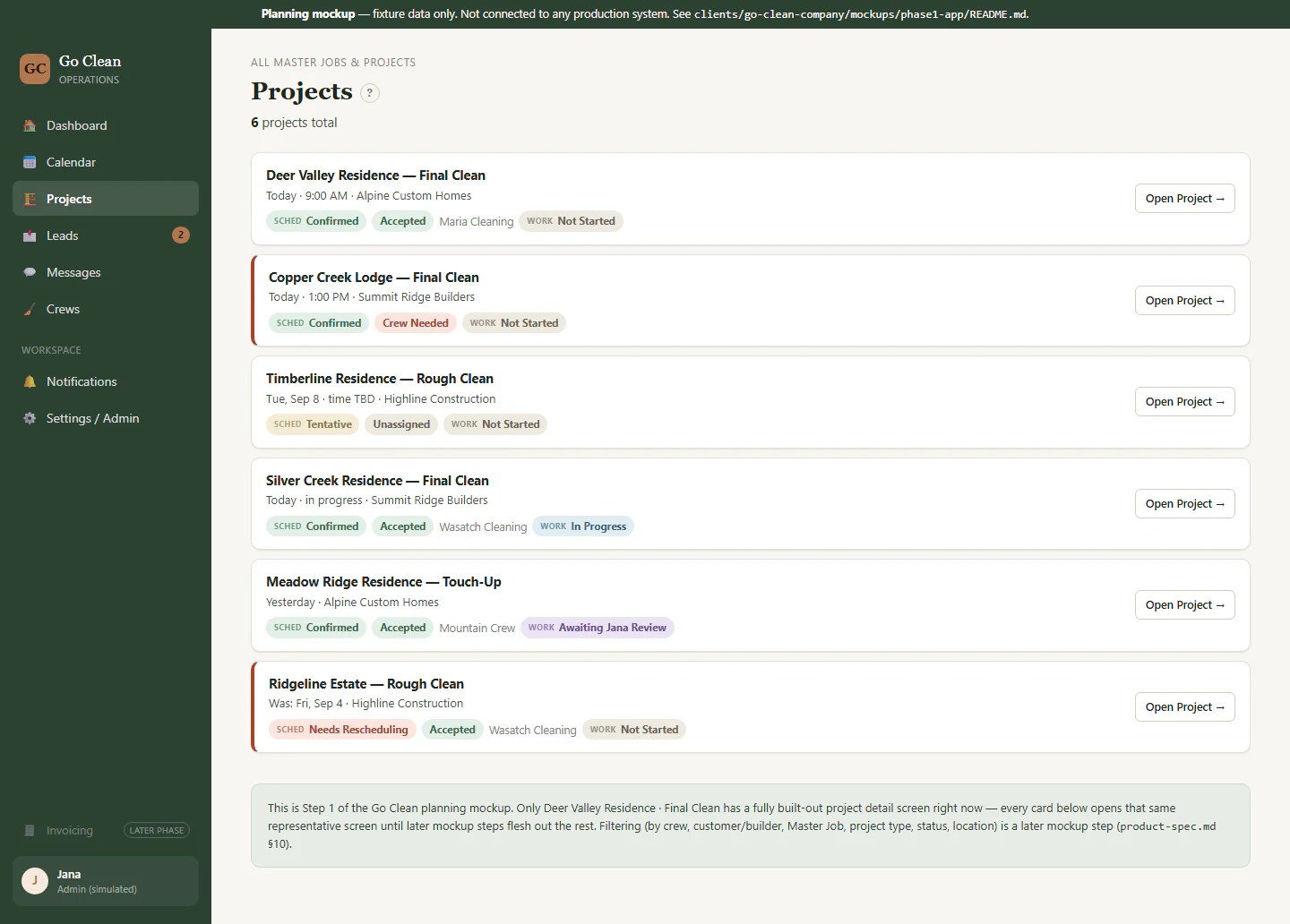
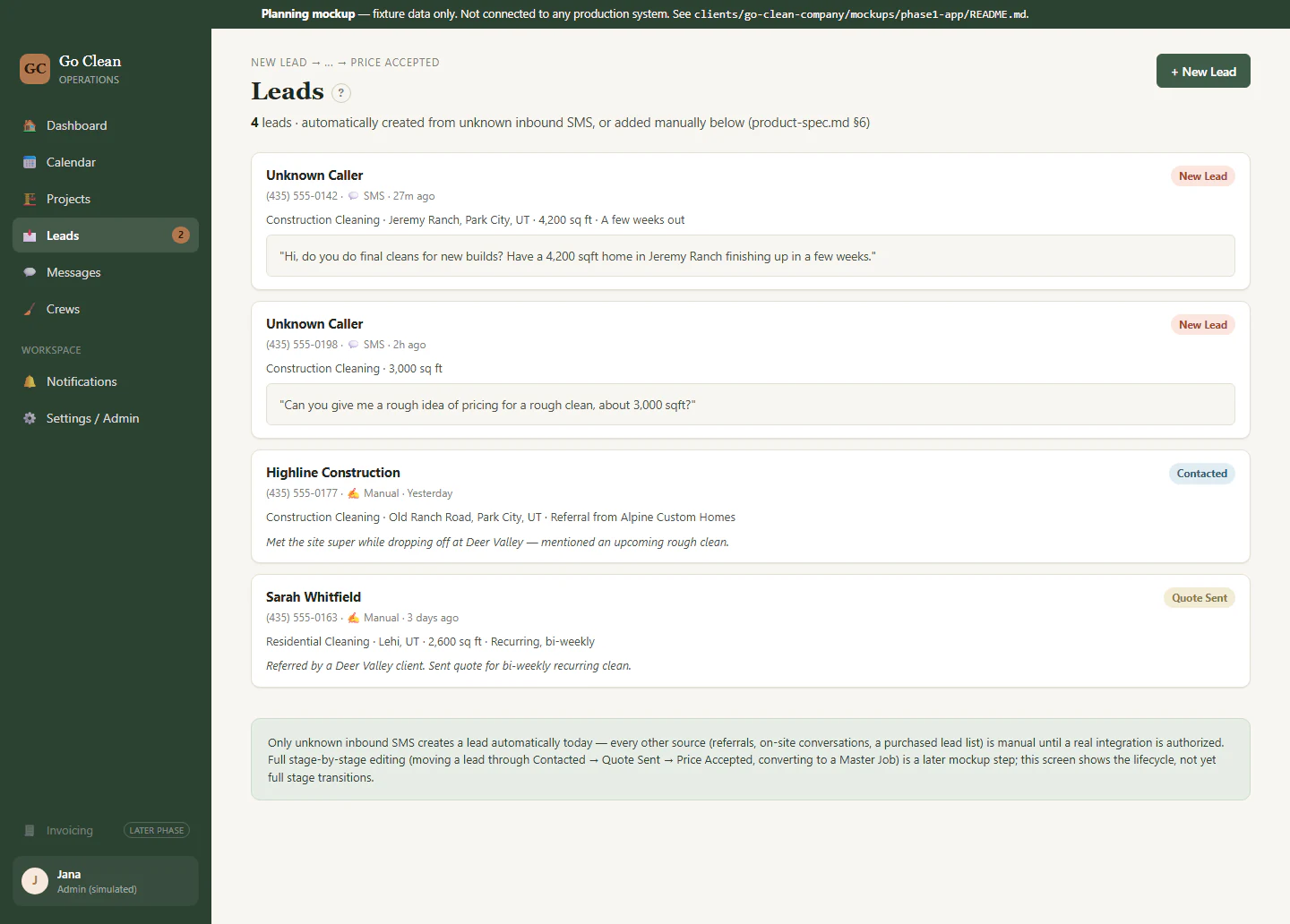
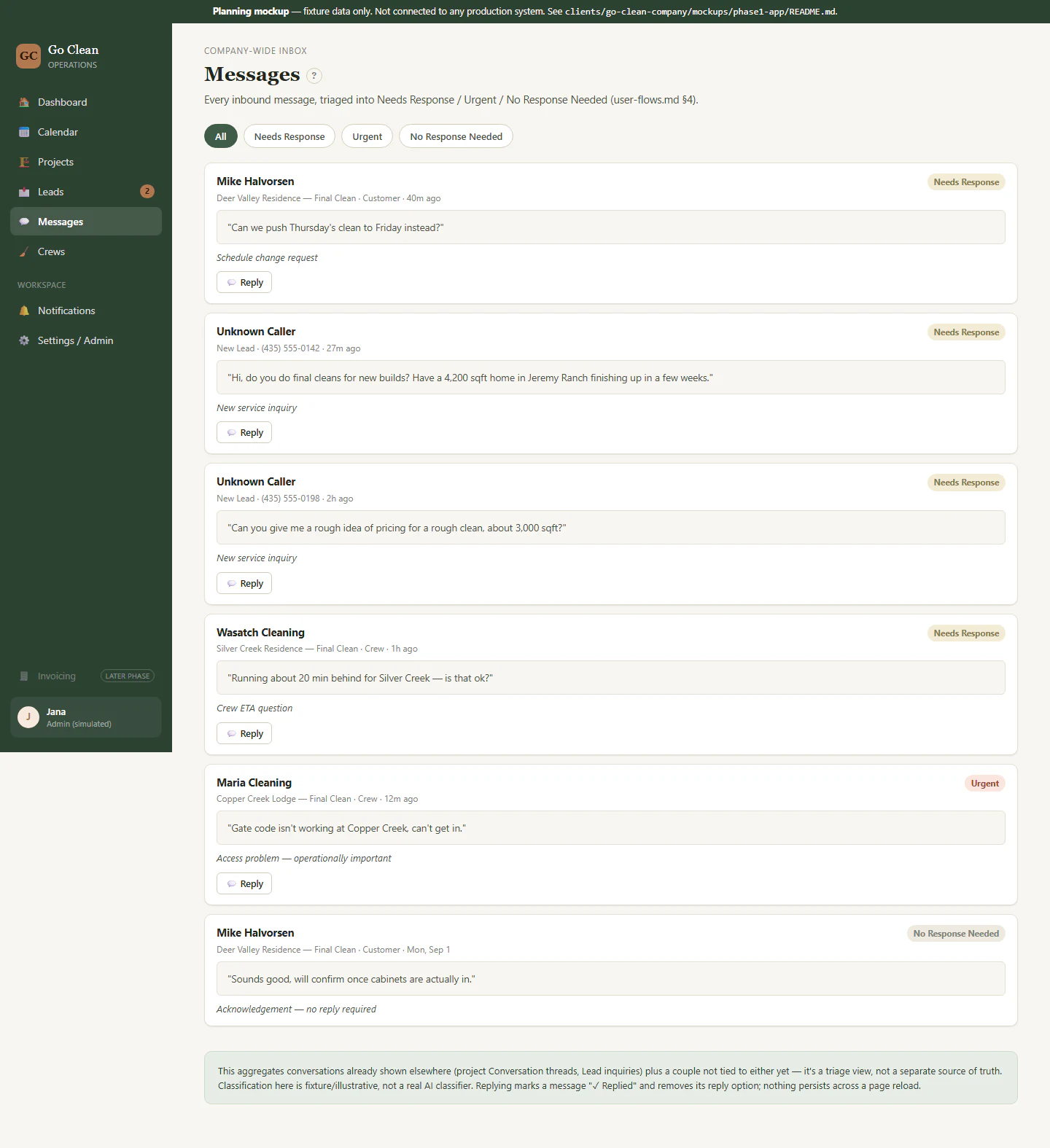
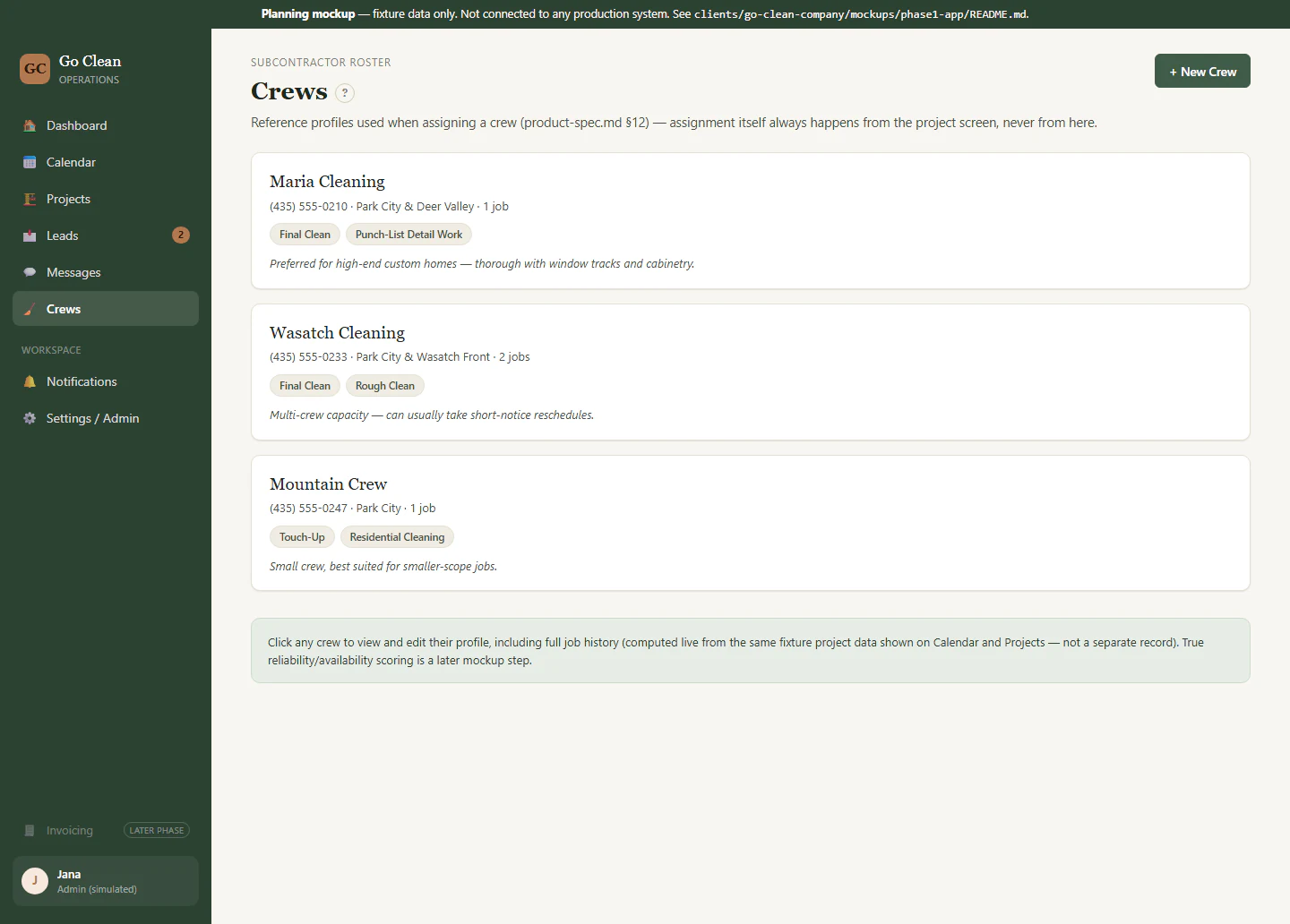
These screens are simplified demonstrations built with fictional sample data. They show how the workspace is organized without exposing real client, crew, project, or financial records.

THE WEBSITE
A clearer front door for the business.
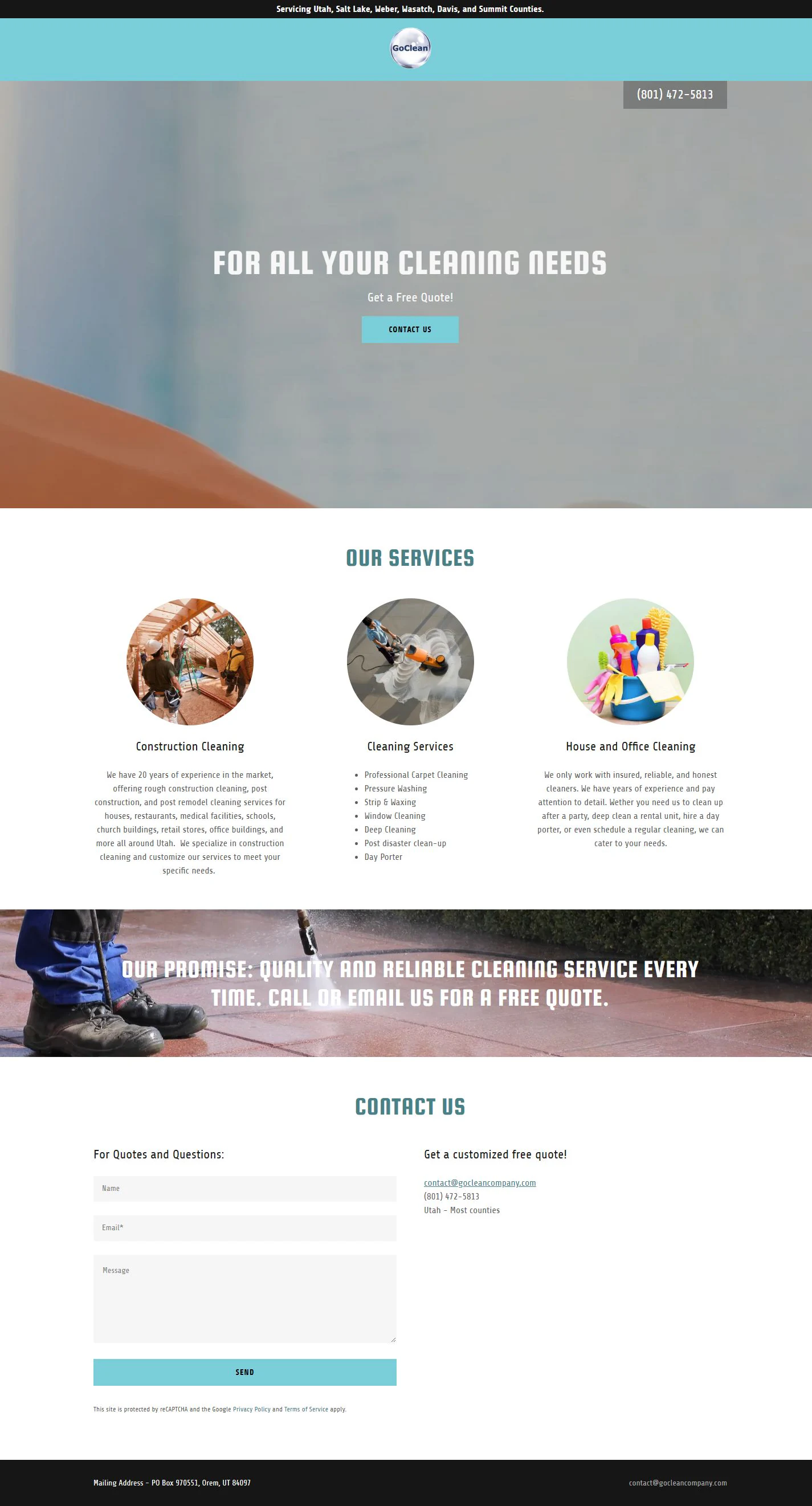
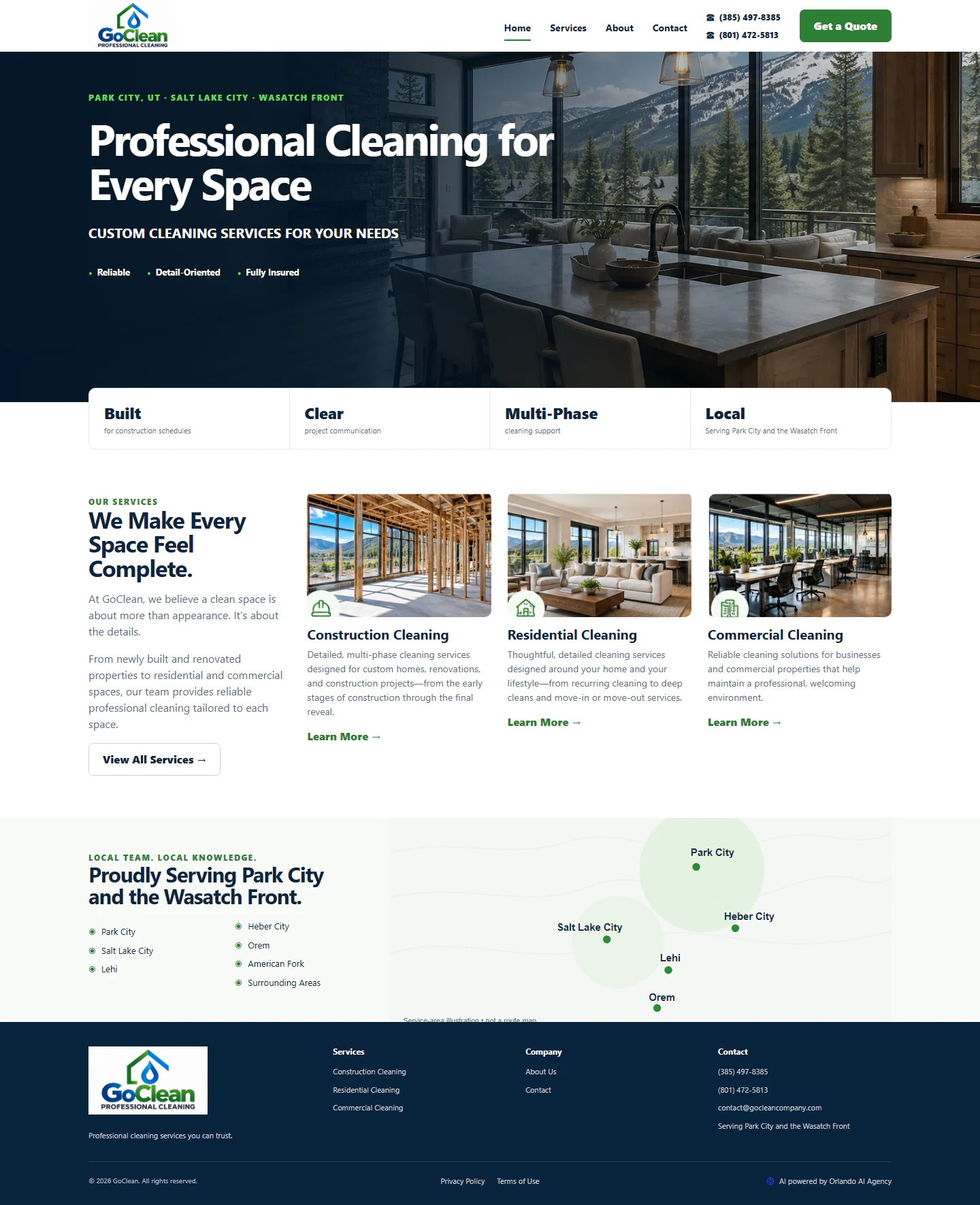
Once the operational foundation was in place, the website could support growth more responsibly. The redesign replaced a sparse, dated presentation with clearer services, stronger visual proof, local-market information, and pages that are easier for people, search engines, and AI assistants to understand.
The website is also connected to the company workspace. GoClean Company can record how a new inquiry arrived and follow it from the first conversation through an active project. Search visibility and revenue outcomes require time and measurement, so none are claimed here.
NEXT STEPS
Build confidence first, then remove the next handoff.
The next phase remains intentionally paced. GoClean Company wants time to become comfortable with the current tools before adding a private project experience for clients.
PHASED ROADMAP
What is live, what comes next, and what stays human
- LIVE NOW01
Use and refine the operating core
Client and crew text lines, project details, message help, invoicing, payment checks, and inquiry tracking.
- CURRENT FOCUS02
Build day-to-day confidence
Let real use reveal which screens, alerts, and routines should be simplified or adjusted.
- FUTURE PHASE03
Add a private client project page
Give each client a secure place to review appropriate progress notes, photographs, and project status.
- AFTER VALIDATION04
Connect approval to invoicing
Allow a confirmed project approval to start the invoice process while keeping unusual situations available for personal review.
Human control remains: GoClean Company reviews exceptions, decides when to move the work forward, and pays subcontractors manually.
“One thing at a time.”
GoClean Company · discovery interview
A PRACTICAL CHECKLIST
How a cleaning or service business can get paid faster.
The invoicing part of this project follows a simple routine any service business can copy, with or without automation. Each step removes a reason a payment arrives late.
- Put payment terms on every quote and invoice. State when payment is due and how to pay, so there is nothing to clarify after the job.
- Confirm the job is complete before invoicing. A quick owner check prevents disputed invoices. GoClean Company approves each completed job with one button.
- Invoice the same day the work is approved. Every day between finishing and invoicing is a day added to getting paid. Here, QuickBooks creates and emails the client invoice as soon as the job is approved.
- Check for payment on a schedule. Do not rely on memory. The workspace checks whether each invoice has been paid.
- Follow up politely and early. A short, friendly reminder soon after the due date works better than a firm one weeks later.
- Pay crews from client payments, in order. Once the client has paid, ask the crew for its invoice. GoClean Company still pays subcontractors manually.
- Keep the whole trail in one place. Messages, approvals, invoices, and payment status for a project should sit together, so anyone can answer “has this been paid?” in seconds.
Want to see the same connected approach applied to a whole business? Read the Orlando AI Agency custom AI CRM case study.
COMMON QUESTIONS
What business owners usually want to know.
The answers below separate what is working today, what still requires a person, and what remains planned for a future phase.
What problem did GoClean Company need to solve?
GoClean Company managed client texts, crew updates, photographs, access instructions, schedule changes, approvals, and payment follow-up across messages, calls, notes, calendars, spreadsheets, and QuickBooks. Keeping those details connected required constant checking and left little time for growth.
Why did Orlando AI Agency fix operations before rebuilding the website?
A stronger website could bring more inquiries, but more work would have increased pressure on the same overloaded process. Orlando AI Agency first organized communication, project details, invoicing, and payment follow-up so GoClean Company could handle growth more comfortably.
Did GoClean Company need to carry another phone?
No. Twilio provides separate business text numbers for clients and crews, while GoClean Company reads and sends those messages from the same online workspace on a phone. The existing sales line also remained in place.
What happens when a text message needs personal judgment?
The workspace can summarize conversations and handle approved simple replies. When a message is unusual, urgent, or needs a business decision, it alerts GoClean Company so a person can review and respond.
How does the QuickBooks invoice step work?
After GoClean Company confirms that a completed job is ready to invoice, the company clicks a button in its workspace. QuickBooks creates and emails the client invoice. The workspace checks whether it has been paid and then asks the crew to send its invoice.
What work still stays under GoClean Company’s control?
GoClean Company reviews messages that need judgment, decides when a completed job is ready to invoice, handles unusual situations, and pays subcontractors manually. The system supports those decisions instead of taking them away.
How was the reported 80% workload reduction measured?
The approximately 80% reduction is GoClean Company’s estimate of how much less day-to-day operational work the owner now handles. It has not been independently time-tracked or audited, and no sales or revenue increase is claimed in this case study.
Is the private client project page already live?
No. A private page where clients could review appropriate project notes, photographs, progress, and approvals is a future phase. GoClean Company chose to become comfortable with the current tools before adding it.
How did GoClean Company follow the project’s progress?
Orlando AI Agency shared clickable planning mockups before the final build. GoClean Company could review the screens, wording, alerts, and approval steps, then request changes while they were still easy to make. Once the workflow was approved, the mockup became the guide for implementation.
Did the solution replace all of GoClean Company’s existing tools?
No. The project kept useful tools and connected the work around them. GoClean Company retained its existing sales line, Twilio supplied separate business texting for clients and crews, and QuickBooks continued to create and email invoices after the company approved each one.
What would another service business need to get started?
The starting point is a clear picture of how work happens today: where inquiries arrive, how clients and crews communicate, how projects are scheduled, when invoices are sent, and where follow-up is most likely to be missed. Examples of real situations help Orlando AI Agency design around the business instead of forcing it into a generic system. No technical expertise is required from the client.
Could this approach work for another service business?
Yes, when the solution is shaped around that business’s real work. Another company may use different tools or have different approval steps, so Orlando AI Agency begins by mapping where time is lost before recommending what to connect or automate.
YOUR WORKFLOW WILL LOOK DIFFERENT
Start with the work that keeps following you home.
A Revenue & Efficiency Audit maps the repetitive work, disconnected tools, and missed handoffs that are costing your business time.